STACK Construction Review 2026: Is It the Best Takeoff Software for Contractors?
STACK scores 4.6/5, hands-on tested on the free tier — the best digital takeoff tool for commercial roofing, electrical, and HVAC contractors who bid from PDF blueprints.
Last updated: October 2026
Reviewed by Marcus WebbWe signed up on the free tier and built a complete 1,500 sq ft HVAC estimate end-to-end — takeoff measurements flow straight into the worksheet, and a first cold run took 44 minutes. The best digital takeoff tool in our rankings. But starting at $2,999/yr for a single user ($250/mo), it's only worth it if takeoffs are your bottleneck. Teams of 3+ get volume pricing at $2,199/user/yr. Pair it with Projul or JobTread for scheduling.
What Makes STACK Different: The Digital Takeoff Advantage
Review Scenario
Residential HVAC replacement — 1,500 sq ft townhouse, pricing one 3-ton unit from a PDF floor plan, with 15% overhead and 20% profit margin
$3,850
$760
44 min
Not available
Cloud-based but requires stable internet; no true offline mode
First cold run on October 25, 2026, including UI exploration — a familiar user should manage 15–20 minutes. STACK has no global labor rate: labor is entered as a per-item unit cost ($95/hr × 8 hrs = $760/EA).
Hands-On Walkthrough: Building a Real Estimate in STACK
October 25, 2026
Free Takeoff & Estimate tier ($0, no card required). The 7-day Pro trial bundled with it enabled everything shown below — AI Takeoffs and the XLS proposal export are Pro-trial features, not part of the permanent free tier.
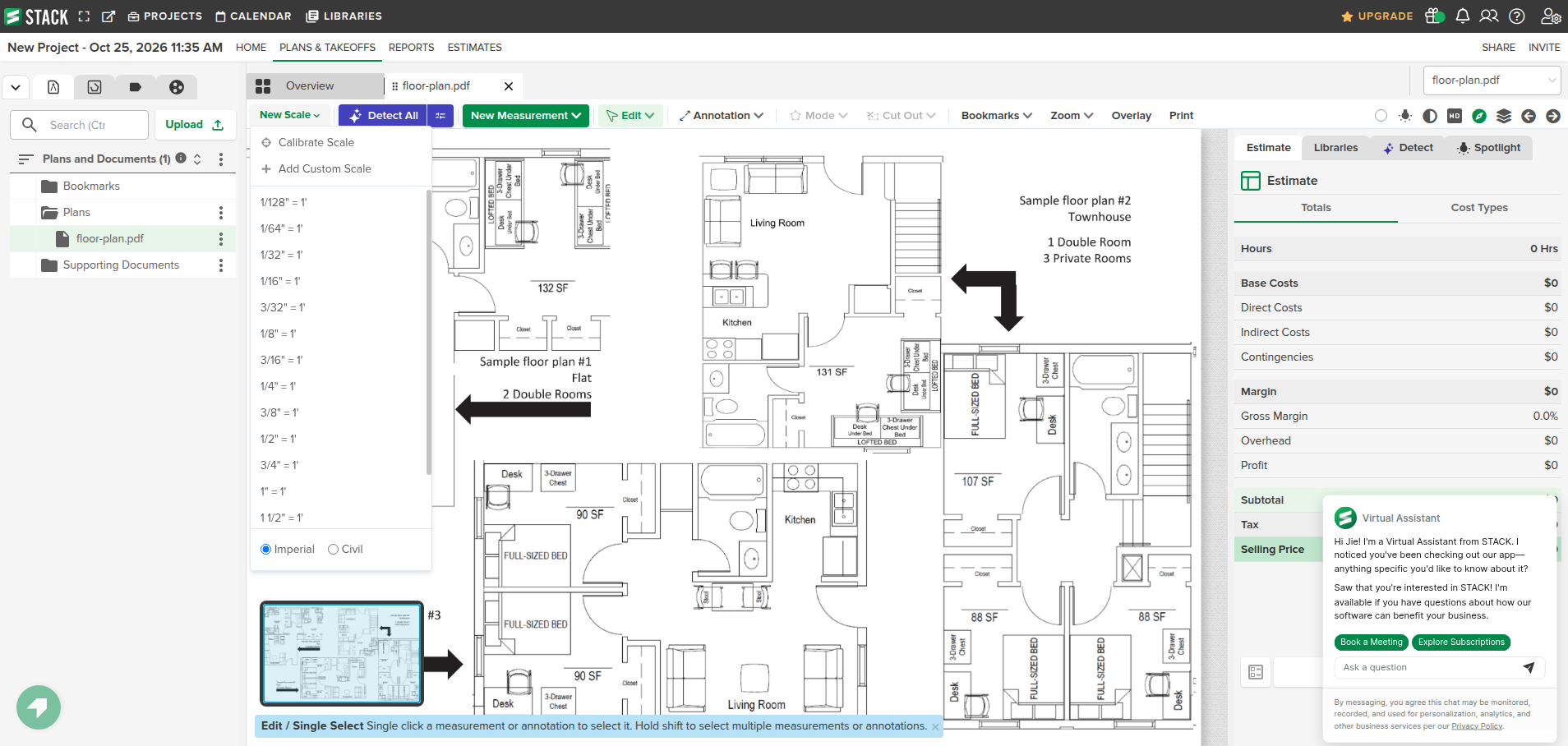
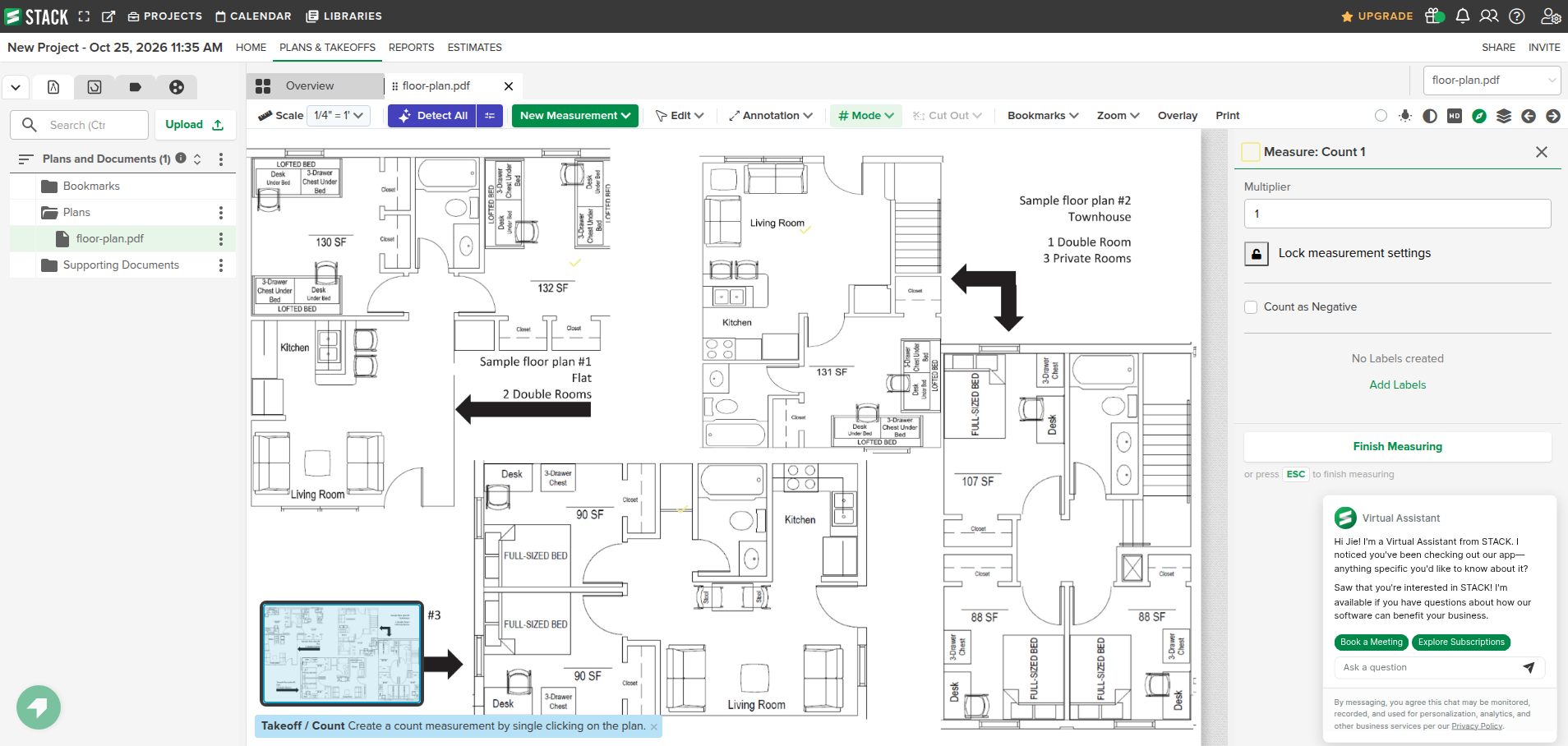
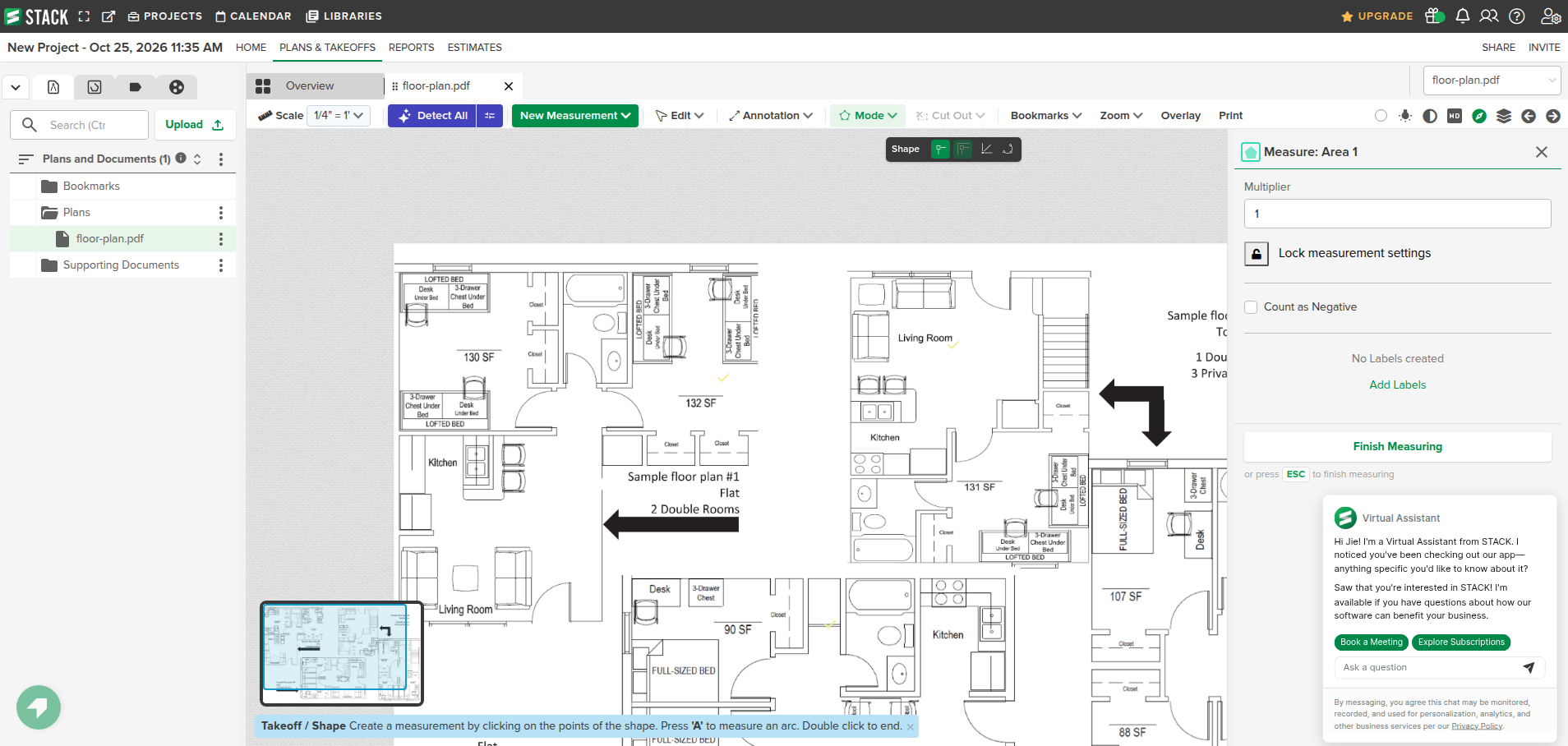
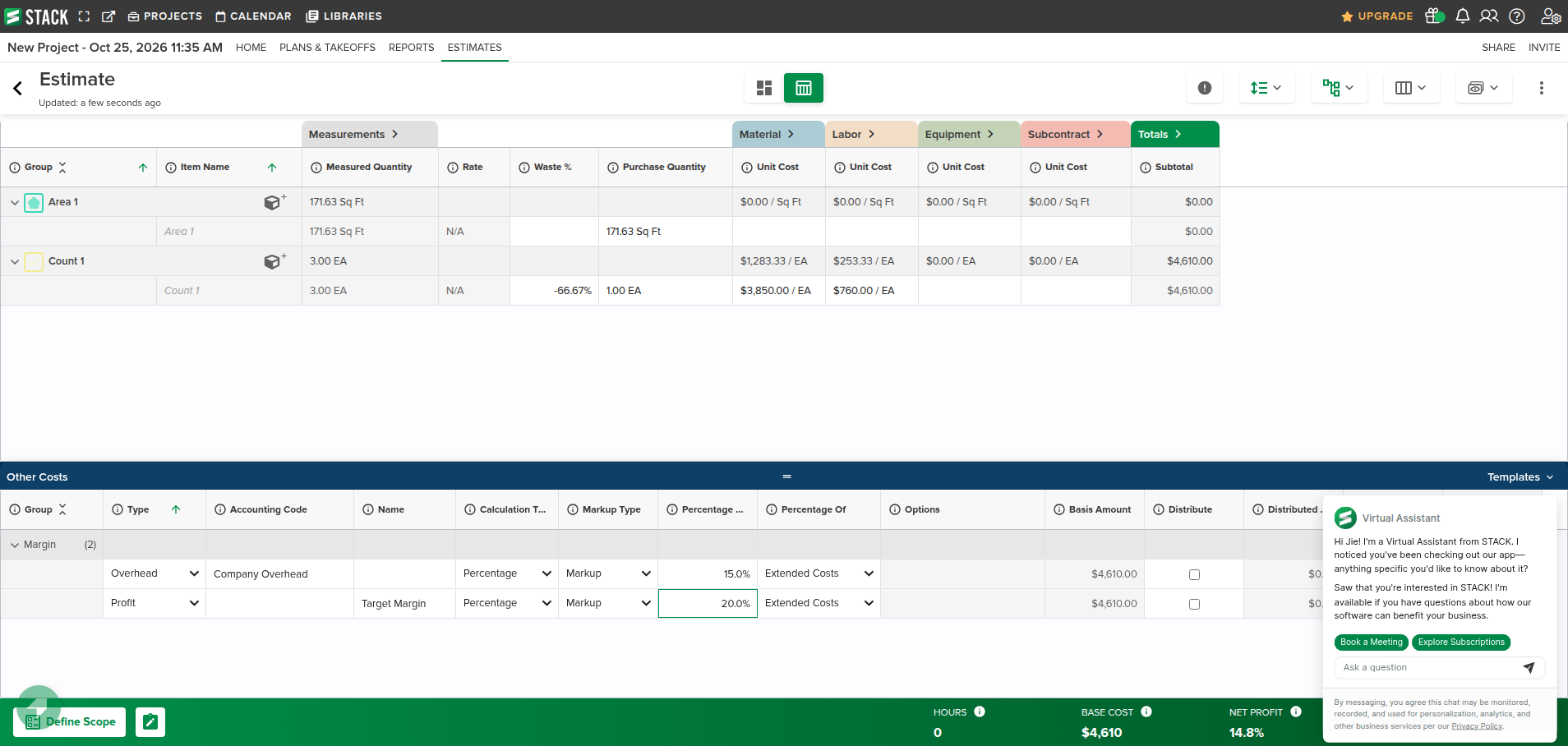
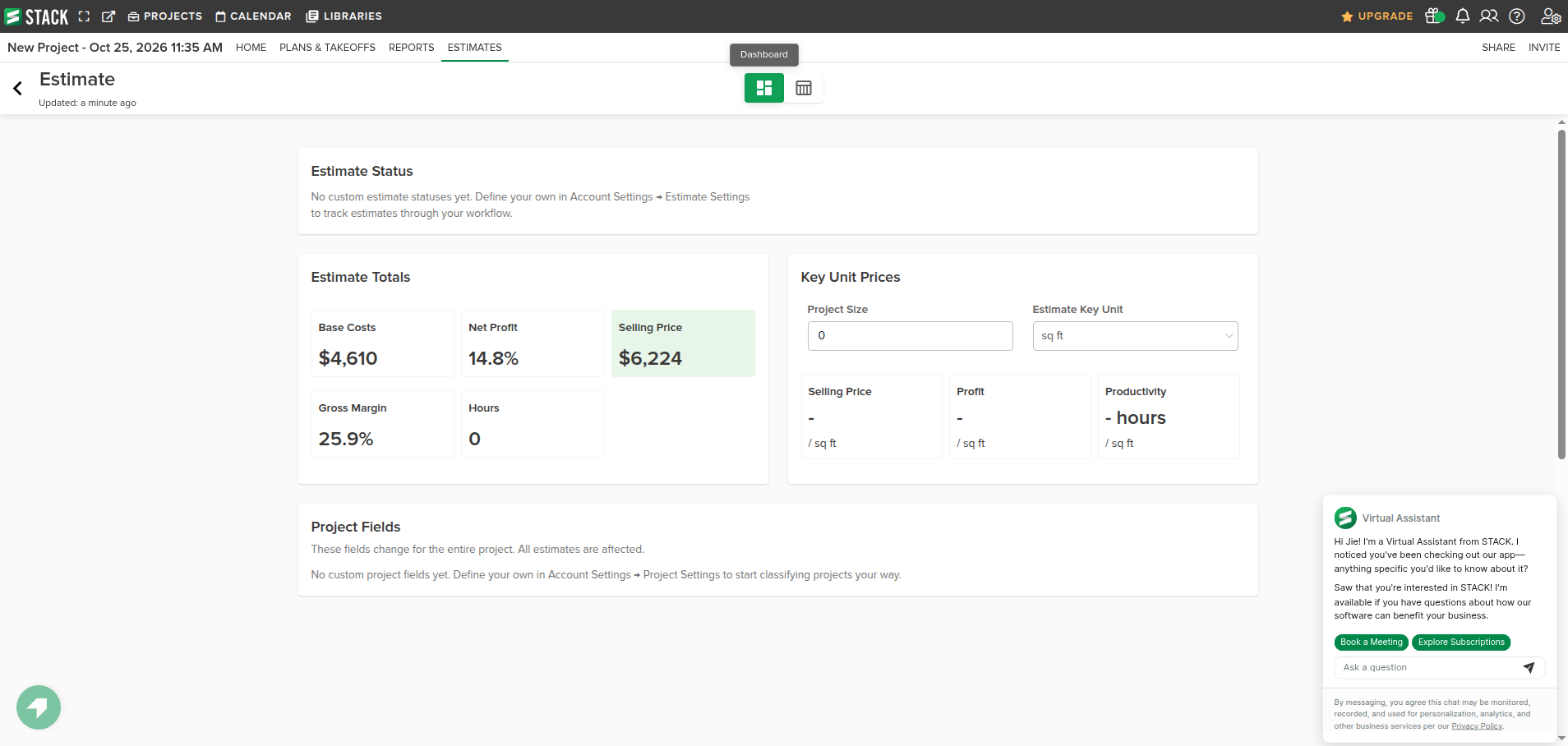
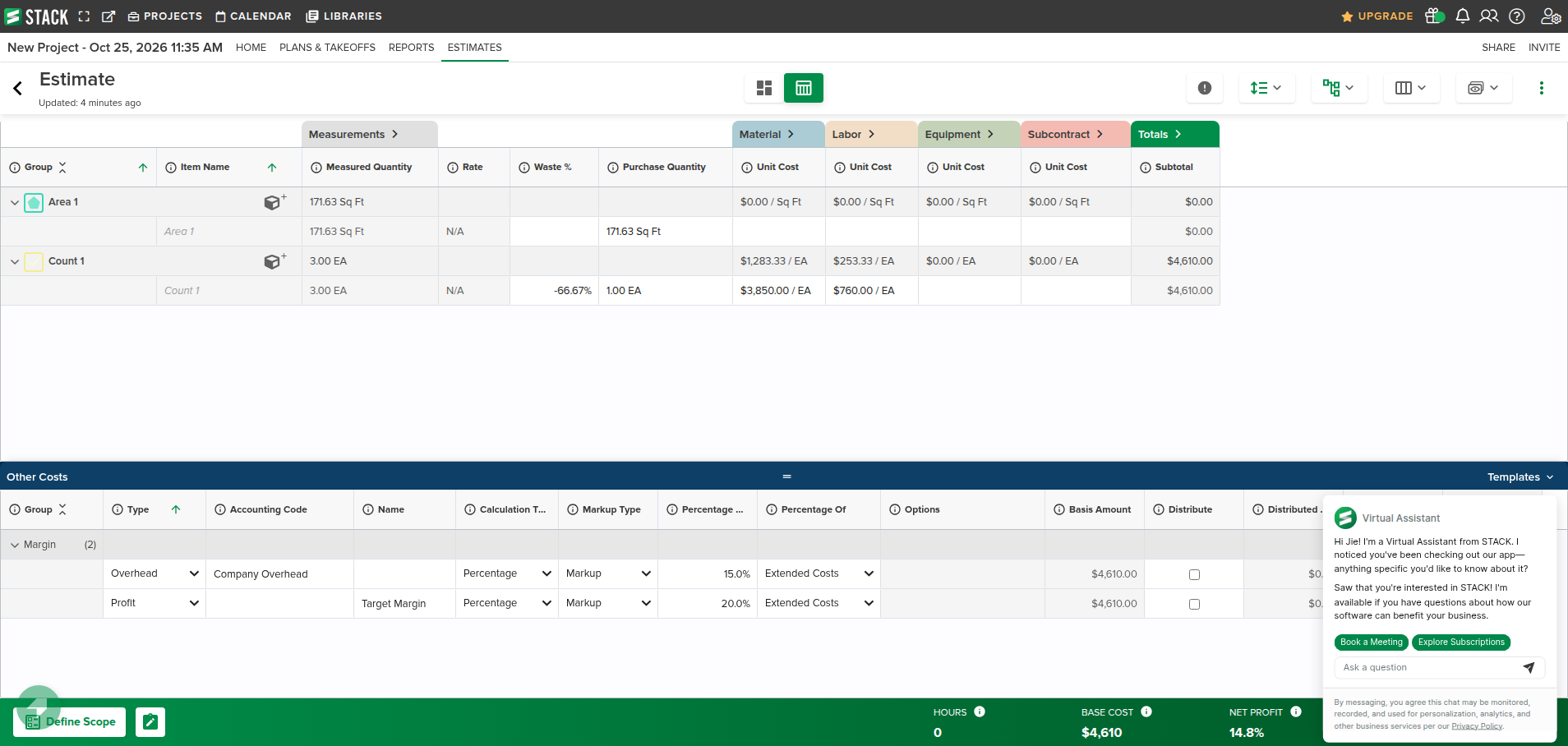
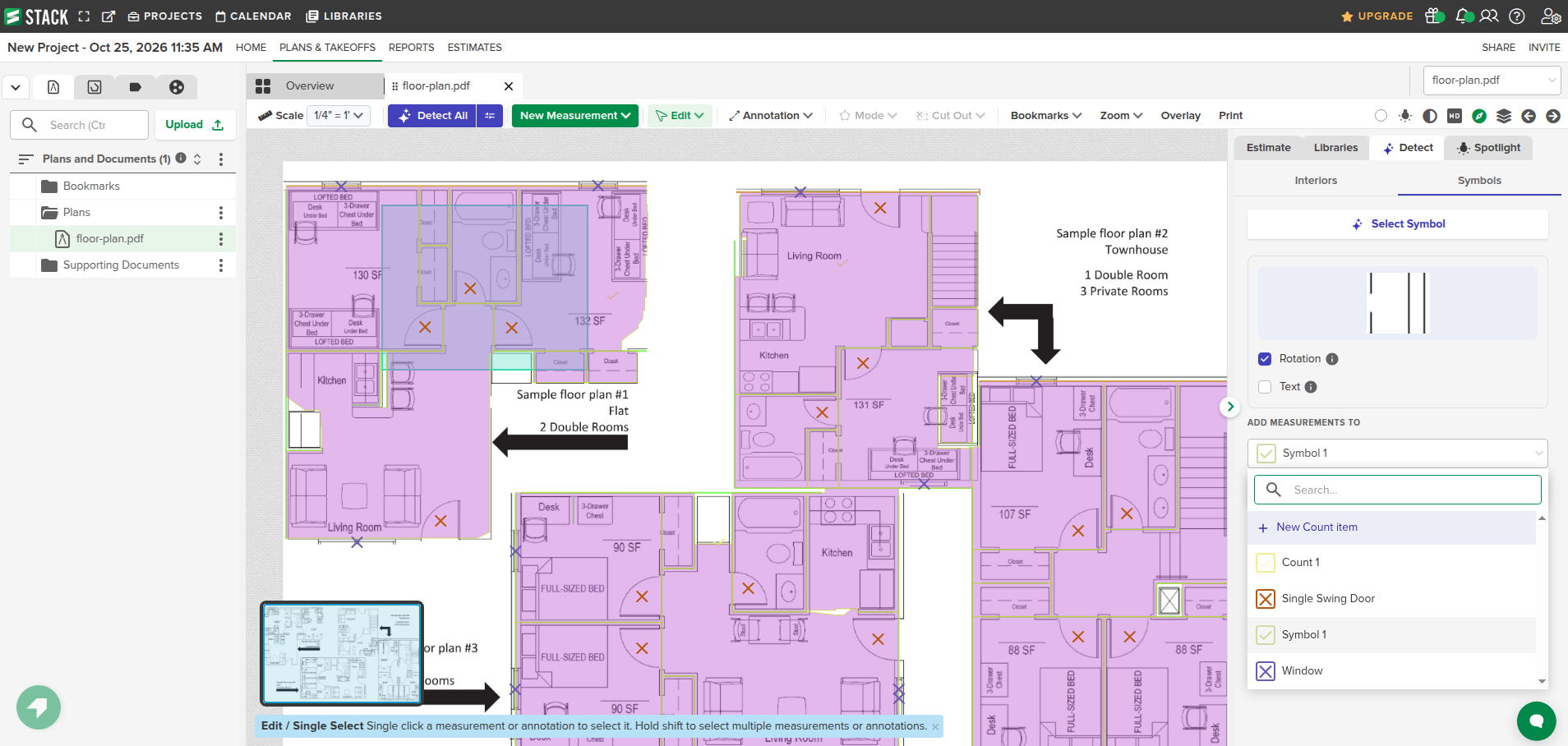
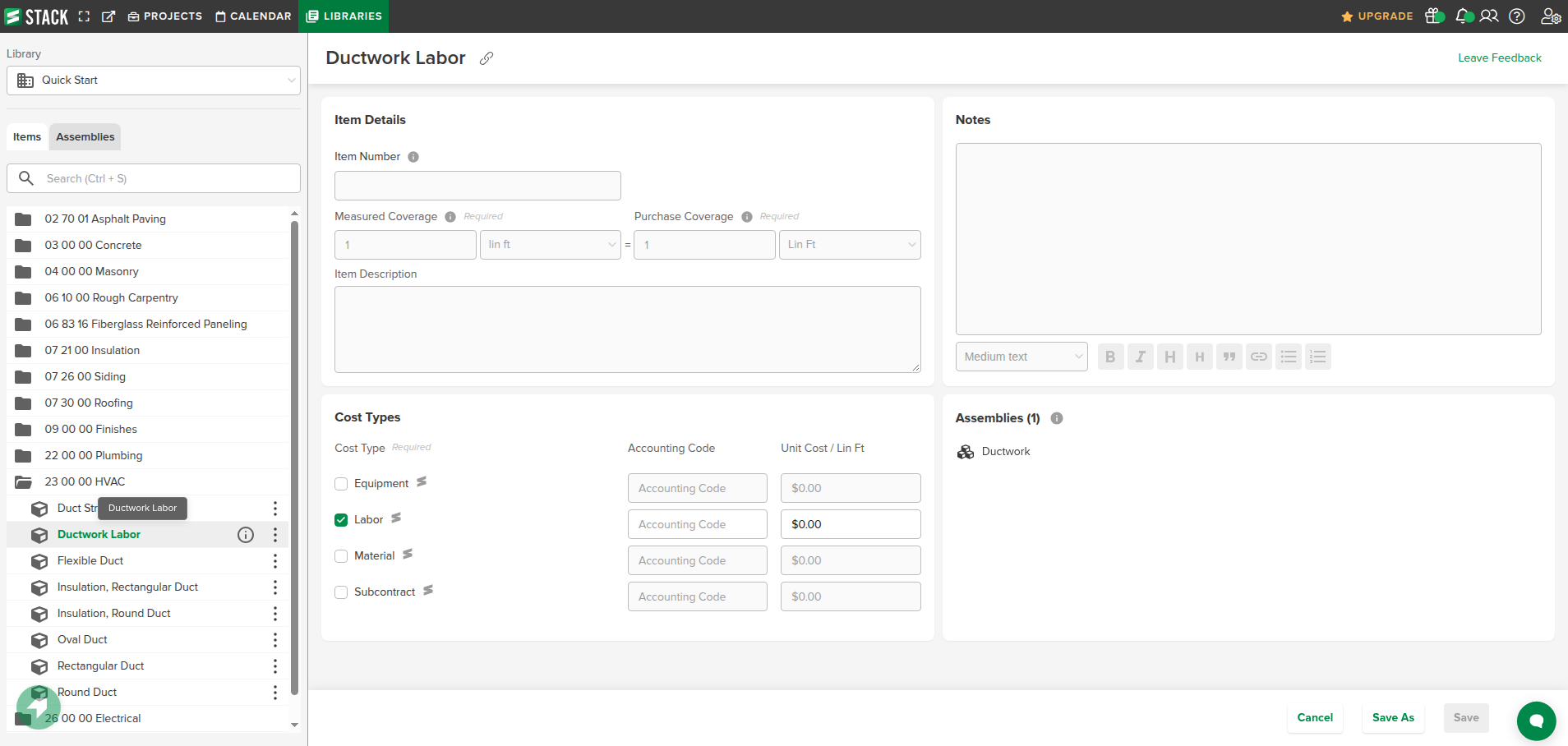
A 1,500 sq ft townhouse HVAC replacement: one 3-ton unit priced from a PDF floor plan at $3,850/EA materials plus $760/EA labor ($95/hr × 8 hrs — STACK has no global labor rate, so labor is entered per item), then 15% overhead and 20% profit added through Other Costs. Selling price: $6,223.50, verified three ways.
What Worked
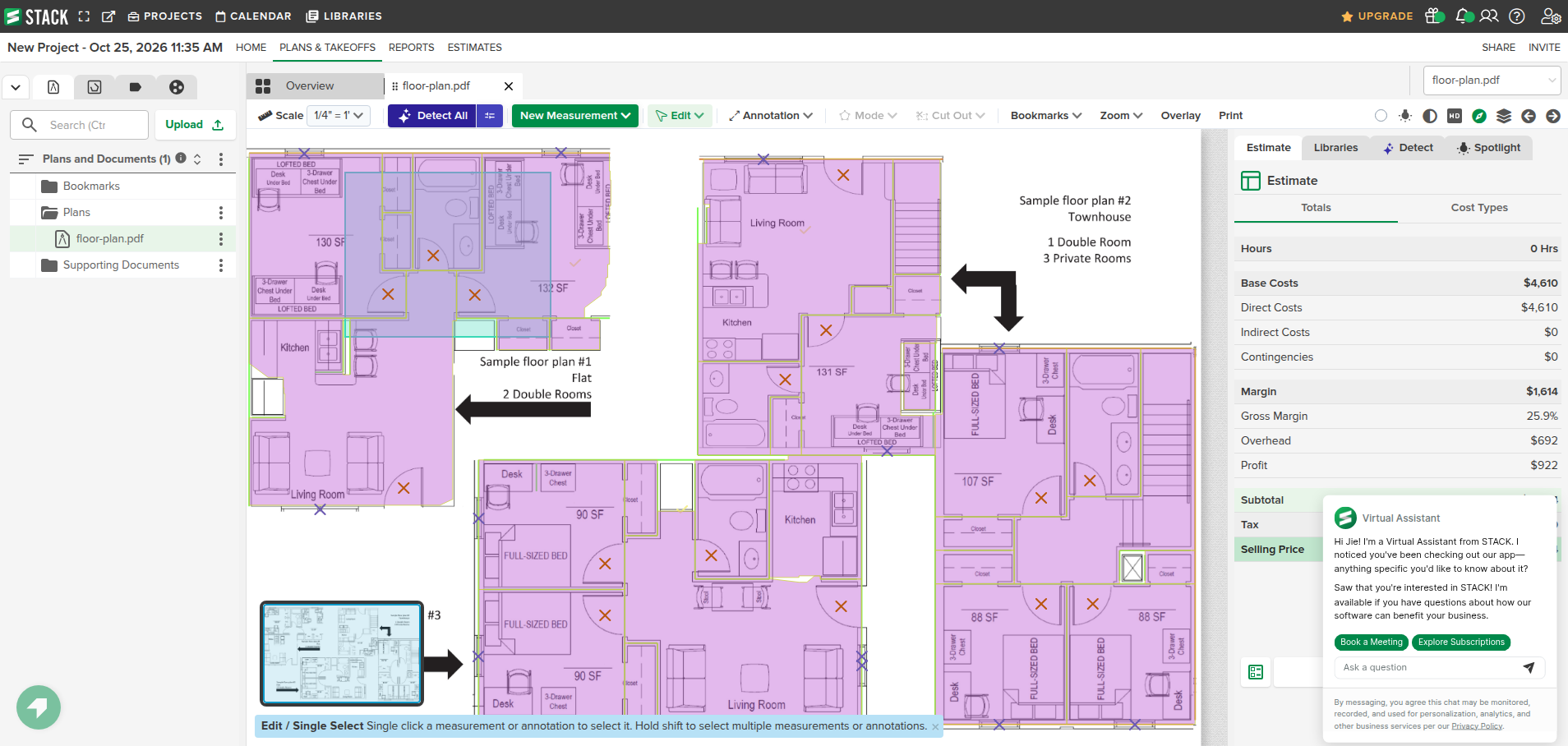
- Takeoff-to-estimate flow is fully automatic — our area and count measurements landed in the estimate worksheet with no manual transfer or double entry.
- The estimate dashboard puts Base Cost, Selling Price, Net Profit and Gross Margin (plus $/sq ft unit pricing) on one screen.
- AI Detect All quantified the entire page in about 25 seconds, auto-naming detected symbols — a Pro-trial feature that is genuinely fast.
- Data persisted reliably: reloading the page mid-test kept every measurement, cost, and markup intact.
Frictions
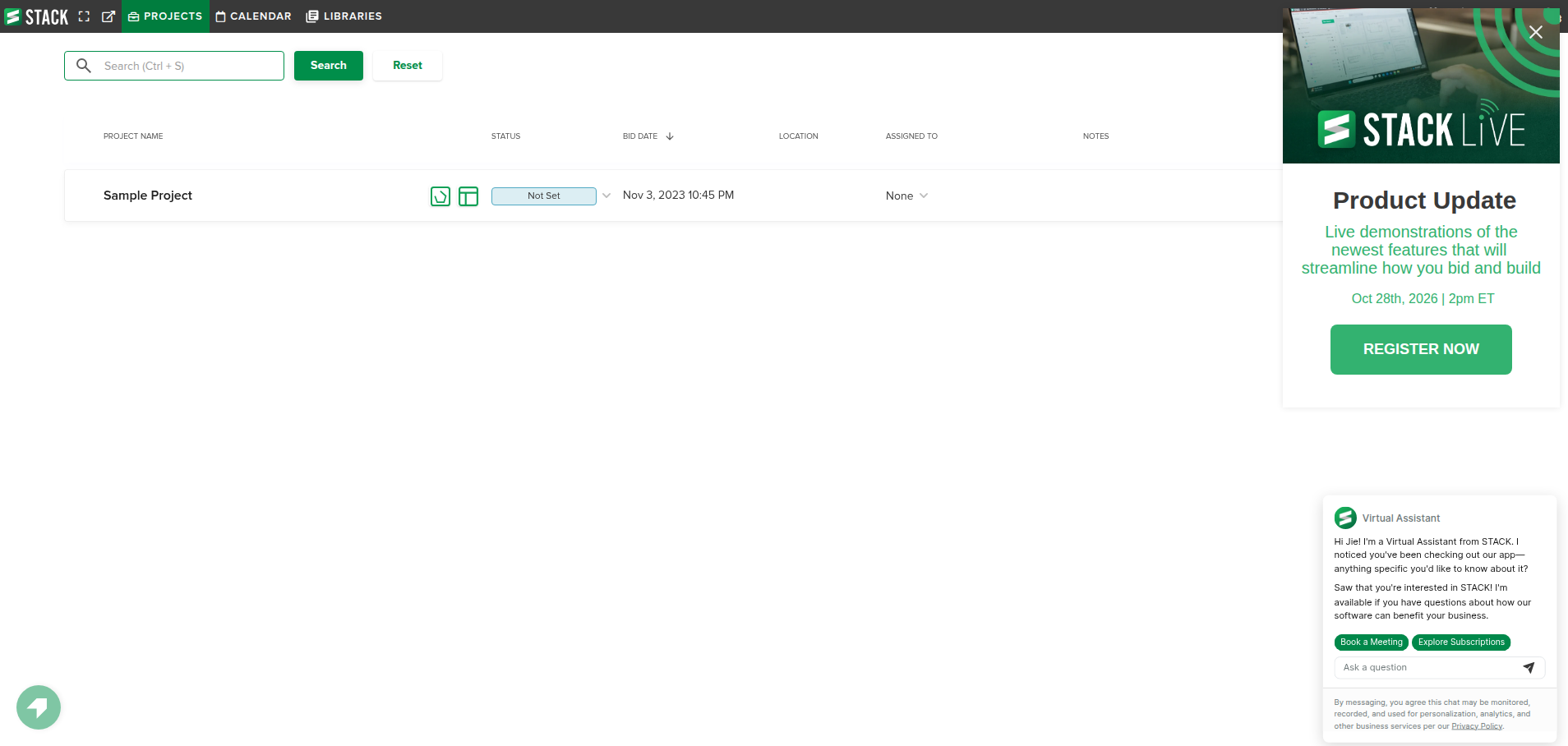
- A promo overlay covered the New Project button on first login, and the persistent Virtual Assistant chat bubble blocked action buttons repeatedly during the test.
- Overhead and profit live three clicks deep: the Other Costs bar only opens when dragged (a plain click does nothing), then adding each cost type takes a right-click on a group row — we needed the help docs to find it.
- The worksheet's group-row/sub-row table is unintuitive — costs are entered on a hidden sub-row with no visible edit affordance.
- The ESTIMATES nav tab hung on a Loading spinner for 30+ seconds on first use, and one page reload later the session expired mid-test.
- Renaming a manually added group row didn't respond to either a single or a double click — rows can be added but not labeled, as far as we could get.
STACK Applies Overhead and Margin in Parallel, Not in Series
We set 15% overhead and 20% profit on the same $4,610 base cost. Most tools — and most contractors' mental math — compound them: $4,610 × 1.15 × 1.20 = $6,361.80. STACK doesn't. Both percentages are calculated on Extended Costs ($4,610) and simply added: $691.50 + $922 = $1,613.50, a flat 35% uplift → $6,223.50 selling price. We verified it three ways (dashboard total, 14.8% net profit, and the exported XLS). The practical impact: the same "15% + 20%" produces a quote roughly $138 (2.2%) lower in STACK than in compounding tools — worth knowing before you compare estimates across software.
STACK Pricing: Is the Per-User Model Worth It?
$183
per user
Yes (14 days)
Free Takeoff & Estimate tier (no card). Build & Operate plans quote-based - last published rates: $2,999/yr for 1 user, $2,599/yr each for 2 users, $2,199/yr each for 3+ users. Pro tier: $3,999/yr/user. 14-day Build & Operate trial. Pricing now requires demo call.
Pricing verified as of July 2026.
How STACK Handles Commercial vs. Residential Work
The Learning Curve: What New Users Actually Experience
Pros
- +Count outlets, measure roof squares, and calculate materials straight from PDF blueprints
- +Cloud-based — works on PC and Mac from the truck or the office
- +Volume pricing drops to $2,199/user/yr for teams of 3+ estimators
- +Strong bid management and reporting for GCs juggling multiple projects
Cons
- −Per-user pricing — a solo estimator pays $2,999/yr ($250/mo). That's steep
- −No scheduling or project management — you'll need a second tool for dispatch
- −Performance lags with slow internet — 66% of negative reviews cite connection speed
Things the vendor won't tell you
- •Per-user annual pricing means a solo estimator pays $2,999/yr ($250/mo) — no month-to-month option
- •No scheduling or project management built in — you need a second tool for dispatch and crew management
- •Performance degrades noticeably with slow internet — 66% of negative Software Advice reviews cite connection speed issues
STACK's Weak Spots That No One Talks About
What real users say
- •66% of negative reviews on Software Advice cite connection speed — the cloud-only architecture is a liability on job sites with poor WiFi
- •Solo estimators find the $2,999/yr price hard to justify compared to PlanSwift's $2,000/yr annual subscription
- •Several contractors note that the learning investment is significant; smaller teams struggle to justify the training time
Is STACK Good for Bid Management and Commercial Estimating?
STACK handles bid management well for commercial contractors who juggle multiple projects at once. You can track bid status, assign due dates, and compare subcontractor quotes side by side — all from one dashboard.
For commercial roofing contractors, STACK lets you pull measurements directly from PDF plans, then push those counts into a cost estimate without switching tools. Electrical contractors can count outlets, map conduit runs, and generate material lists straight from blueprints.
The bid board shows every active bid, its deadline, and its status (draft, submitted, won, lost). That visibility matters when you're managing 10–20 bids a week. STACK doesn't replace a full project management tool — there's no scheduling or dispatch. But for the estimating-to-bid workflow, it covers the critical path. Commercial HVAC, roofing, and electrical contractors will get the most value here. Residential contractors doing simple quotes may find it overkill.
How STACK's Digital Takeoff Works: A Step-by-Step Look
STACK's digital takeoff starts with uploading PDF blueprints — no plugin or download needed since it runs in the browser. Once a plan loads, pick a measurement tool: count (for outlets, fixtures, equipment), linear (for conduit, pipe runs, flashing), or area (for roof squares, floor sections, wall surfaces).
The workflow: upload a plan set — say, a 30-page commercial roof plan — select the area tool, trace the roof boundary, and STACK calculates square footage automatically. Switch to the count tool and click each drainage point, and STACK tallies them as you go. Linear measurements work the same way for flashing and edge trim.
Every measurement feeds directly into the estimate. No manual transfer, no double entry. The tool auto-assigns assemblies (materials + labor rates) to each measurement type, so the cost build-up happens alongside the takeoff - measuring roof squares, flashing lines, and drainage counts from a single PDF.
What Contractors Say About STACK's Assembly Takeoff and Material Database
Contractor opinion on STACK's assembly takeoff splits into two camps, and both come through clearly across Software Advice and G2 reviews. The fans are commercial estimators doing repetitive work — roof squares, outlet counts, conduit runs. Assemblies bundle materials and labor rates into a single click, so counting 200 junction boxes prices them at the same time. Reviewers consistently call this the fastest part of the tool, and support scores highest of any category in STACK's reviews.
The friction shows up in setup. Building custom assemblies takes real time up front — reviewers describe loading their own material pricing before the speed gains kick in, and smaller teams flag that training investment as the reason they hesitated. If you bid the same type of work week after week, that setup pays for itself fast. If you bid one-off projects across different trades, the pre-built assemblies cover common categories (roofing, electrical, drywall), but you'll add specialty items yourself.
The material database follows the same pattern. Common commercial materials ship with editable pricing, so your supplier costs stick once you load them. Contractors in niche trades — custom metals, specialty plumbing fixtures — report building out most of their catalog by hand. Factor that first-month setup time into your decision. It's the tradeoff for faster takeoffs every month after.
How Stack Construction Compares
| Feature | Stack Construction | Projul | ProEst | Buildxact |
|---|---|---|---|---|
| Starting Price | $183 | $199 | Custom | $169 |
| Overall Rating | ||||
| Free Trial | Yes | Yes | Yes | Yes |
| Core Features | ||||
| Estimating | ||||
| Digital Takeoff | ||||
| Scheduling | — | — | ||
| Project Mgmt | — | — | ||
| Business Tools | ||||
| CRM | — | — | ||
| QuickBooks | ||||
| Reporting | ||||
| Proposals | ||||
| Advanced | ||||
| Mobile App | — | |||
| Inventory | — | — | — | — |
| BIM | — | — | ||
← Scroll to compare →
Pricing verified as of July 2026. Features based on vendor documentation.
Stack Construction
Count outlets, measure roof squares, and calculate materials straight from PDF blueprints
Try STACK Free →Projul
Flat-rate pricing — no per-user fees at any tier, even the base plan
Try Projul Free →ProEst
Massive construction cost database — you're not typing in material prices by hand
Get ProEst Demo →Buildxact
Foundation plan now includes unlimited users and digital takeoffs - no more per-user pricing
Try Buildxact Free →Best Estimating Software for Your Trade
Free Estimate Templates
Frequently Asked Questions
How much does Stack Construction cost?
Does Stack Construction have a free trial?
Is Stack Construction good for small contractors?
Does Stack Construction integrate with QuickBooks?
What is Stack Construction best used for?
What is STACK Construction software used for?
Is STACK good for roofing takeoffs?
How does STACK calculate overhead and profit margin?
Bottom Line
We signed up on the free tier and built a complete 1,500 sq ft HVAC estimate end-to-end — takeoff measurements flow straight into the worksheet, and a first cold run took 44 minutes. The best digital takeoff tool in our rankings. But starting at $2,999/yr for a single user ($250/mo), it's only worth it if takeoffs are your bottleneck. Teams of 3+ get volume pricing at $2,199/user/yr. Pair it with Projul or JobTread for scheduling.
Marcus Webb
Lead Reviewer & Construction Tech Analyst
Construction technology analyst focusing on estimating software. Marcus reviews 30+ estimating and project management tools, cross-checking official pricing, demos, and verified user feedback.
About Marcus →Want more estimating insights?
Tool updates, pricing changes, and real contractor tips. No fluff.
Ready to try?
Free trial available